
Categories
Articles

3 min watch

3 MIN WATCH

Video: 2026 Annual Enrollment instructions
November 1–25, 2025

Annual Enrollment takes place November 1–25. It’s your time to review and choose the coverage that fits your needs, whether you’re a longtime employee or you just became eligible for benefits. Watch this short video for everything you need to know about the 2026 Annual Enrollment process.

Print

Looking for more? Find other articles below

+

Show transcript

Make sure you don’t miss any of these key actions

Log in at Costcobenefits.com and select the enrollment website to get started.

  1. Complete Dependent Verification for your spouse or domestic partner. Otherwise, their coverage will end on December 31, 2025.
  2. Review your current benefits elections to see if you need to make any changes.
    • Watch the 2026 Benefits Changes video so you can make informed decisions about your benefits.
  3. Add or remove dependents who are no longer eligible. Eligible children will stay covered. If you add any family members, you must submit required documentation by November 30 to receive approval for their coverage to be active on January 1, 2026.
  4. Enroll or re-enroll in the Health Care Reimbursement Account (HCRA) and/or Dependent Care Assistance Plan (DCAP) to help you save on care. Elections don’t carry over year to year.
  5. Review your beneficiaries. Be sure to add or update any beneficiaries as needed.
    • For Life/AD&D insurance: Enrollment website
    • For the retirement plan: RPS.TRowePrice.com
Categories
Articles

2 min read

2 MIN READ

Use your 2025 benefits before they expire

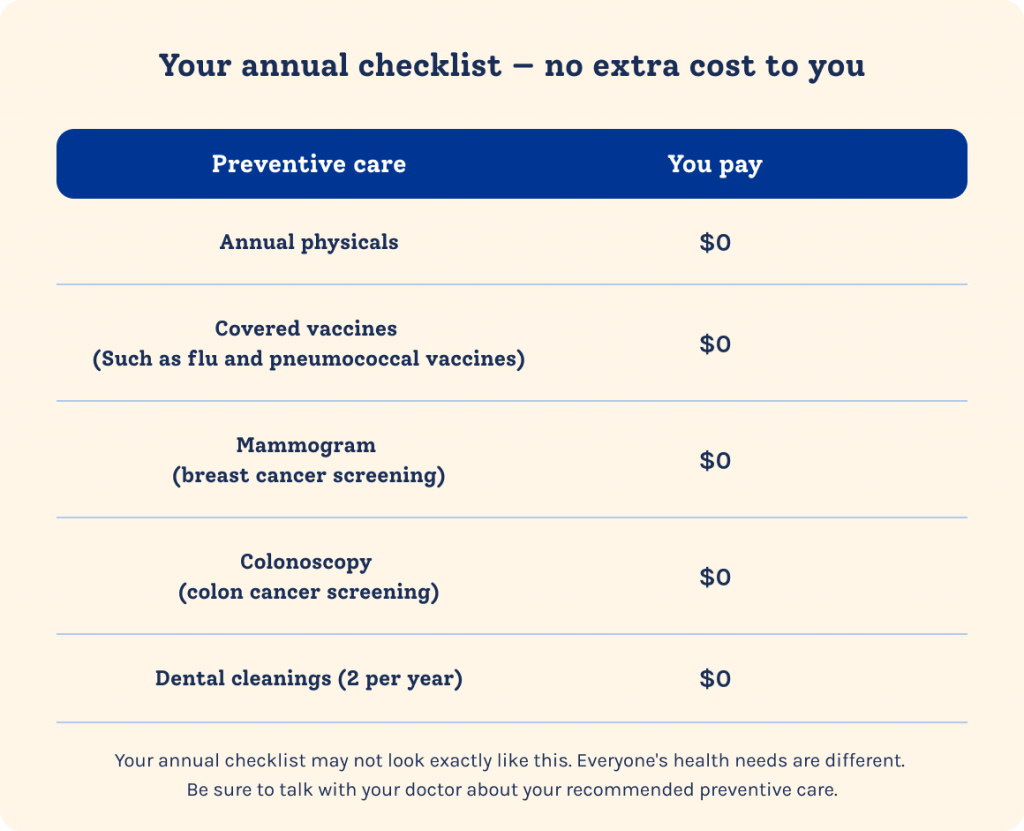
Don’t miss out on your no-cost preventive care — there’s still time to get it before year-end. It’s 100% covered by your medical plan when you see in-network providers. Plus, you can earn a credit toward your medical deductible and coinsurance, after getting your first dental cleaning of the year. So it’s good for your health — and your wallet. And don’t forget to spend any funds left in your Health Care Reimbursement Account. Only $660 can be rolled over from 2025 to spend in 2026. You can use them on dental and vision expenses.

Print

Looking for more? Find other articles below

Earn $50

Regular dental exams and cleanings don’t just protect your mouth and teeth. They can also help you save money down the line by catching issues early. Treating gum disease early may even prevent heart disease.1

Your first dental cleaning puts money back in your pocket. Every person enrolled in your plan (including you) can earn $50 toward your shared deductible and coinsurance after their first dental cleaning of the year. So, if you’re a family of 4, that adds up to $200.

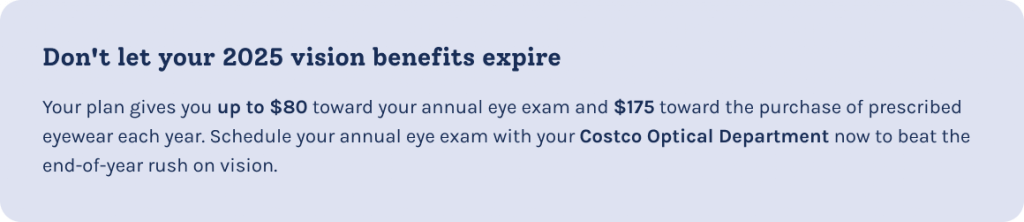
An eye exam is like seeing into the future. It checks for conditions such as dry eye, cataracts and glaucoma. It can also catch the early signs of serious health conditions such as diabetes, high blood pressure, heart disease and more — so you can get treated now.

Need help finding a primary care provider (PCP)?

A PCP gets to know you and your medical history, and they can tailor care or treatment plans to your needs. Plus, having a PCP may reduce your risk of an ER visit by 19%.

Browse your plan’s provider network to find an in-network PCP who’s right for you. Or head to Costcobenefits.com > Health & Wellness > I Want To > Find a Doctor to get started. You may see a few different options for a PCP, like a family or general practitioner, pediatrician (doctor for kids) or an internist (doctor of internal medicine). On the mainland, you can also choose an Ob/Gyn (doctor for women).

Source(s): 1Cureus. The relationship between periodontitis, gingivitis, smoking, missing teeth, endodontic infections, aortic aneurysm, and coronary artery disease: The 10-year results of 25 patients.

Categories
Articles

1 min read

1 MIN READ

Less scrolling, more living

Have you ever heard the term “doomscrolling”? It’s when someone spends lots of time taking in info on a screen. While originally referring to negative news articles, it also applies to social platforms such as TikTok, Instagram, Facebook or Reddit. Anyone can fall into the trap of spending too much time on their phone.

Print

Looking for more? Find other articles below

It’s okay to be bored

Ever had a great idea come to you in the shower? They’re always there; they just need the chance to surface. Aside from the mental health benefits, less scrolling allows you to be bored. And being bored is like pressing reset on your brain1 — it gives you the space to be more creative.

Unplugging doesn’t mean you have to stare at a wall. Here are some ways to fill your time while giving your brain a break:

  • Catch up on sleep. 
Do you ever scroll in bed for hours until you realize it’s already 1:30 am? Using a phone before bed can make it harder to fall asleep.2
  • Try something new — or finish what you started. Is there a sport or new workout routine you’d like to try? Are you hoping to finally wrap up an old project? Spending less time on social media gives you more time for other things.
  • Follow up with someone. When’s the last time you spoke to the person whose post you just liked? Social media can make it seem like we’re more connected than we are. But it’s not a full picture of who they are or how they’re doing — most people usually only post the highlights. Instead, check in with a family member, friend, coworker who recently moved to a new building or neighbor.

Below are benefits and resources that can help with addiction to social media. And they might be able to help you find other things to do instead.

Sources:
1Mayo Clinic. Boost your brain with boredom.
2Sutter Health. Screens and your sleep. Put down your phone before bed to improve sleep.

Categories
Articles

4 min watch

4 MIN WATCH

Video: When we come together, we make a difference

Giving back doesn’t only do good — it feels good, too. One way Costco employees help is by taking part in the Workplace Giving Campaign. Together, employees have raised over $468 million for more than 50,000 charities of their choice. Whether you’ve ever given $1 or $1,000, you’ve made a difference.

Print

Looking for more? Find other articles below

+

Show transcript

Ways to give back without spending money

Most people face money struggles at one point or another. And the upcoming holiday season can be especially tough between shopping for gifts, booking trips home or even hosting your own celebration. The Ramsey Show found that 78% of Americans have a hard time saving money. But if giving back to those in need is important to you, money isn’t the only way to do it. Here are other ways to give back to your community or causes:

  • Spend your time. You know what they say: Time is money. Volunteer for a few hours at a soup kitchen or cleaning up a park.
  • Be a safe space. If you’re able, animal shelters are always looking for fosters, especially after natural disasters like hurricanes and forest fires.
  • Dig through your closet for hidden treasures. Many organizations accept gently used clothing, toys and unexpired pantry items.

If you’re trying to improve your own finances, try SmartDollar®. It’s free to all Costco employees. Explore self-guided options such as videos or work one-on-one with a financial coach. Every action you take today — whether it’s putting $5 into a savings account or spending 3 hours helping a charity — can lead to a better tomorrow.

Categories
Articles

1 min read

1 MIN READ

5 tips on how to say “no”

Have you ever done something for a friend — mostly because you didn’t want to let them down? Or said yes to a partner when you really wanted to say no? It’s not always easy to set boundaries. Especially if you’re someone who’s used to helping others or putting their needs first. But what if we told you that healthy boundaries help you be a better friend or partner?

Print

Looking for more? Find other articles below

“No” can be hard to say — and hard to hear

Cultural norms, generational differences and family dynamics often teach us that saying no is selfish or disrespectful. When your life or work centers around service to others, it may be even more challenging to set boundaries without guilt. And if you struggle with low self-esteem, you might feel like you don’t deserve to say no. But each no is a yes to your priorities and well-being.

Learn how to set healthy boundaries with the support of Resources for Living, your employee assistance program. Get free, confidential mental health support through RFL. In your counseling sessions with a mental health provider, you can learn tools to build confidence and navigate conflict.

Here are 5 self-reminders to help you stick to your boundaries:

  • It’s okay for me to want or need something.
  • Standing up for myself doesn’t make me a bad person.
  • My feelings aren’t less valid than theirs.
  • If they get mad, that doesn’t mean I should’ve said yes.
  • It’s okay for them to say no, too.

Categories
Articles

2 min read

2 MIN READ

5 ways to stress less

We all feel stressed at times. It can be caused by a health concern, money struggles or a disagreement with your partner. Even the constant buzz of the warehouse can be overwhelming. Managing stress isn’t easy, but you have tools and resources to help you build healthy coping skills.

Print

Looking for more? Find other articles below

  1. Figure out your triggers — Journaling and mindfulness can help you spot patterns in your thoughts and identify triggers. When you start feeling a strong emotion, take a second to jot down some notes. Mention what was happening at that moment and how it made you feel.
  2. Talk it out — Your benefits include different options if you need to talk to someone. You have in-person, virtual and immediate options:
    • Find a virtual or in-person therapist with help from Resources for Living® (RFL®).
    • Get support from people going through similar things with Supportiv.
    • Or call or text 988 24/7 for immediate support for you or someone else.
  3. Strengthen your safety net — Finances are one of the most common causes of stress. RFL can also point you to tools and financial coaching to help you manage money more effectively.
  4. Nurture your network — Focus on building healthy relationships. That way, you can be there for each other during stressful stretches.
  5. Sweat the small stuff — Exercise is great for your physical and mental health. It reduces stress, which can also help lower blood pressure. Strengthen your head and your heart with help from Omada for Diabetes, Hypertension and Prevention & Weight Health.
    • Tip: Lighten the load on your wallet with LifeMart. LifeMart offers discounts for both in-person and virtual gym memberships.

Remember, no problem is too small to ask for help. Browse through your Benefits Guide for even more resources that support stress management.

Categories
Articles

3 min watch

3 MIN WATCH

Video: Heart attack or panic attack?

Have you ever felt short of breath or your heart race? Both can be scary. You may have wondered if it was a heart attack or a panic attack. It can be hard to tell the difference. In this video, we’ll help you understand what’s happening and what to do.

Print

Looking for more? Find other articles below

+

Show transcript

Source(s):
American Heart Association. Heart attack vs. panic attack: Know the difference.

Categories
Articles

2 min watch

2 MIN WATCH

Video: Suicidal doesn’t always look suicidal

Depression isn’t always obvious. While it can make people feel sad and hopeless, it may not show on the outside. This video from the Campaign Against Living Miserably shows us that, sometimes, the people who need the most help don’t act the way we’d expect.

Print

Looking for more? Find other articles below

+

Show transcript

Real talk from real people who contemplated suicide

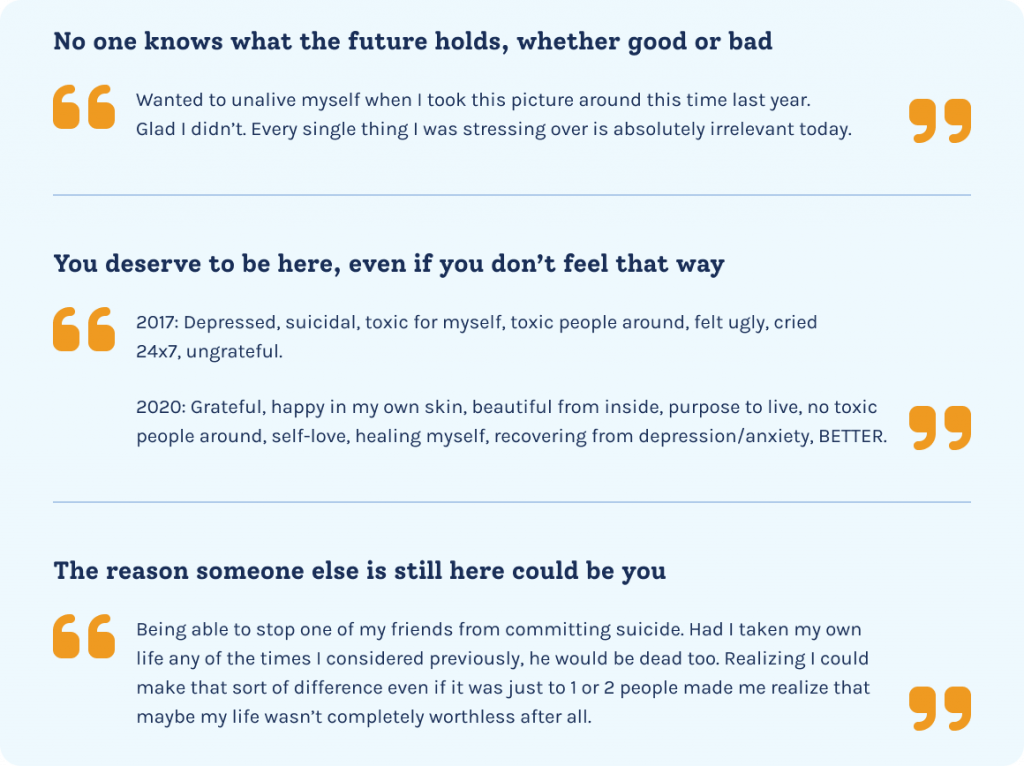
Depression and thoughts of suicide are like tunnel vision — they can make any light or hope seem small and impossibly far away. Supportiv collected stories from people who changed their minds about suicide. Even Olympian Michael Phelps has admitted to wanting to die by suicide.

“I remember going to treatment my very first day. I was shaking, shaking because I was nervous. I said to myself so many times, ‘Why didn’t I do this 10 years ago?’ But, I wasn’t ready. I am extremely thankful that I did not take my life.” — Michael Phelps

All these stories have one thing in common: They’re so glad that they’re still here. See below for some examples from the article.

There’s always hope — and help

Remind someone that you’re a safe person to turn to or get help if you need it. There are free, anonymous, in-the-moment support options such as Resources for Living®. Call 833-721-2320 for help for you and your family if needed.

If you’re thinking about suicide or think someone might be at risk, call or text 988 to reach the Suicide & Crisis Hotline for immediate support, 24/7.

Looking for people who understand what you’re going through? Supportiv offers anonymous peer-to-peer group chats. All conversations are moderated and connect you with people who understand what you’re going through.

And don’t forget — you’re not alone. There are resources and people who can help.

Categories
Articles

1 min read

1 MIN READ

Protect yourself with free flushots and virtual physical therapy

Staying healthy has never been more convenient. Last year, ER visits related to the flu more than doubled among Costco employees. Protect yourself and others by getting your flu shot.

Print

Looking for more? Find other articles below

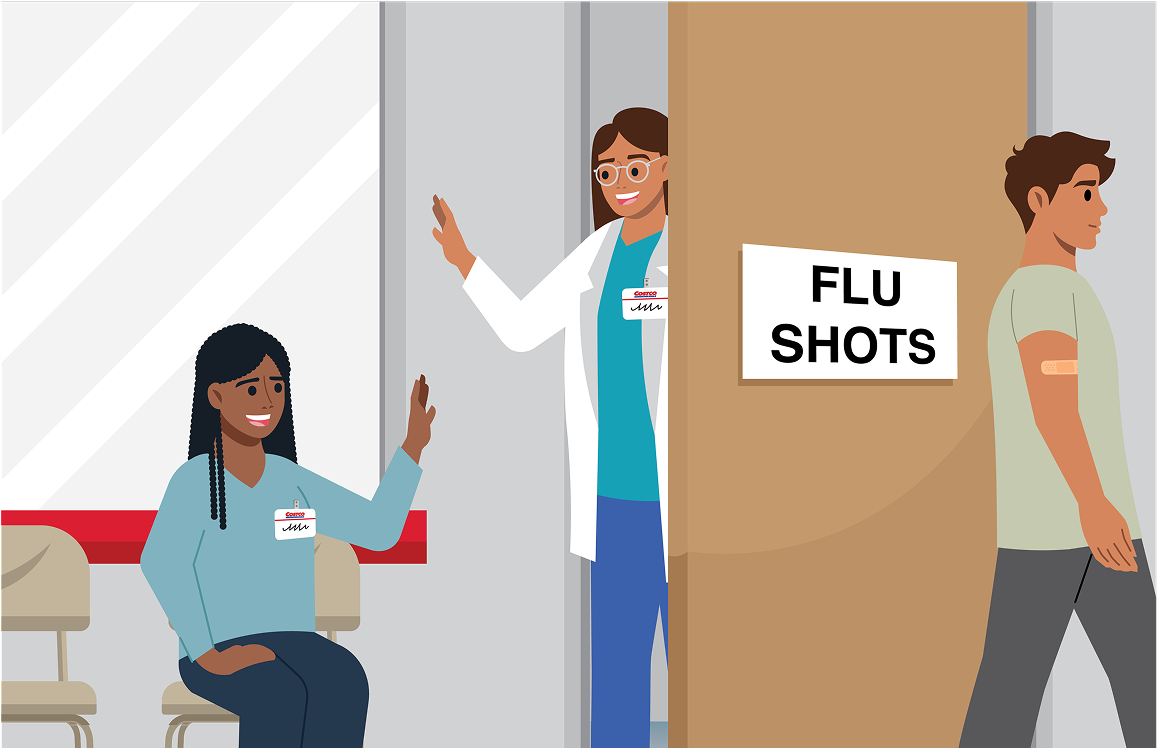
Stop by your Costco pharmacy for a free flu shot

They’re available to all Costco employees. Walkups welcome — no appointment needed!

Help out your friends in the pharmacy department by getting your flu shot before the flu-season rush. Employees and family members enrolled in a Costco medical plan can also get their flu shot for free. Remind them to make an appointment with their provider or at a Costco pharmacy.

Make sure you’re moving safely as well

Omada for Joint & Muscle Health offers virtual one-on-one physical therapy with a licensed physical therapist to help you bounce back from an injury, build strength and flexibility, or stay pain-free during everyday activities.

Categories
Articles

3 min read

3 MIN READ

Do’s and don’ts of making friends

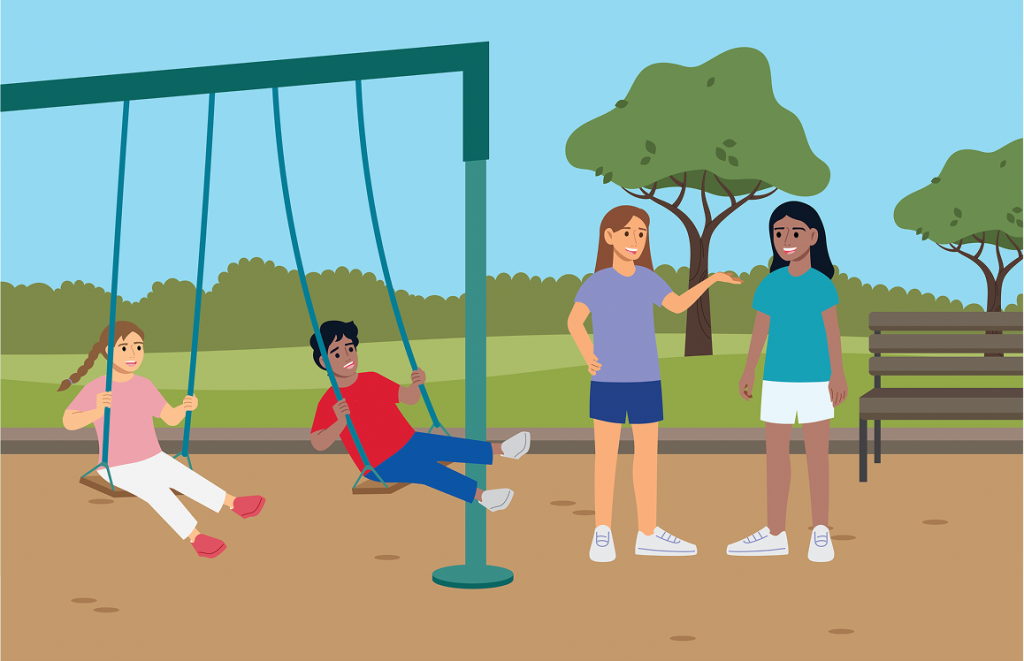
Friends are a big part of feeling happy and supported in life for both kids and adults. For kids especially, having friends can improve their quality of life and how well they do at school. Friendships can also help them adjust to changes more easily.1 Talk with your kids about how to be a good friend — and how to recognize who is a good friend.

Print

Looking for more? Find other articles below

A good friend:2

  • Listens: They care about what you have to say or want to do.
  • Supports: They’re there for you when you’re sad or having a hard time.
  • Respects: They treat you kindly and don’t try to hurt your feelings.
  • Shares interests: You have fun together and like the same things.

Here are signs someone isn’t a good friend:

  • It feels one-sided: They don’t think about what you like to do or how you feel.
  • They make you feel bad: If they put you down or treat you differently around certain people, it’s a red flag.
  • They’re mean or bossy: A good friend won’t be unkind or controlling.

How to set boundaries:

Boundaries help protect what you are and aren’t comfortable with. Here are some tips:

  • Say no: It’s okay to say no to things that make you uncomfortable.
  • Speak up: If someone hurts your feelings, tell them.
  • Choose your friends wisely: Spend time with people who make you feel good about yourself.

Tips for parents:

  • Talk openly: Have regular conversations about friendships and feelings.
  • Model good behavior: Show how to be a good friend by being one yourself.
  • Encourage self-reflection: Help your child be aware of what they like and don’t like in a friend.

Are you or your kids having a hard time?

Some phases of life aren’t easy for us or our kids. It could be an adjustment to a new job or school year. Or maybe navigating tough dynamics with a co-worker or friend. Lean into your benefits for help to get through it. See below for resources that support making friends and healthy relationships.

1Exchange Family Center. The benefits of early childhood friendships and 3 tips for helping your child establish meaningful friendships.
2Cleveland Clinic. Social skills 101: How to help your child make friends.