


5 MIN WATCH
NOVEMBER 2026
Save on taxes with reimbursement accounts
One of the ways Costco helps you save money is with reimbursement accounts from Inspira Financial. They let you set aside part of your paycheck — before taxes are taken out — to pay for things like copays, prescriptions, or childcare. They’re also called flexible spending accounts, or FSAs. Watch the video for a quick overview.
Looking for more? Find other articles below
[♪ Upbeat Music]
Narrator:
Your health and the health of your family is a top priority at Costco. That’s why we are committed to providing you and your family with affordable benefits that help you receive quality care whenever needed.
One of those benefits are the reimbursement accounts available through Inspira Financial. Here’s everything you need to know about reimbursement accounts.
There are two types of reimbursement accounts available to you as a Costco employee: the HCRA and the DCAP. They’re also known as flexible spending accounts, or FSAs. You may have heard of HSAs, or health savings accounts. Both help you save on taxes.
HSAs let you keep money in your account year over year, but there’s a catch. To be eligible for an HSA, you have to be enrolled in a high-deductible health plan. You also pay 100% for care until you meet your deductible.
Costco medical plans have low deductibles and copays for office visits and prescriptions, so they don’t qualify. The HCRA, or health care reimbursement account, allows you to set aside pretax dollars to reimburse yourself for eligible medical expenses, such as copays, deductibles and coinsurance, dental, vision, and hearing aid expenses, prescriptions, and over-the-counter items.
Annual Enrollment is the only time you can enroll in an HCRA account. And the HCRA must be re-elected every year if you want to continue your account.
The DCAP, or dependent care assistance plan, allows you to set aside pretax dollars to reimburse yourself for qualified child- and elder care expenses necessary for you and your spouse to work. Funds can be used to pay for childcare for your dependents age 12 and younger, or for a spouse, parent, or dependent incapable of self-care.
Examples of DCAP expenses are things like day care, before- and after-school care, nursery and preschool, and in-home aides. Please note that the DCAP cannot be used for dependent health care expenses.
You need to enroll in the DCAP every year to continue your account. However, you can enroll, change, or stop your enrollment whenever there is a qualifying change to your dependent care needs throughout the year.
Both types of accounts are funded by automatic pretax payroll deductions from every paycheck. If you choose to enroll in one or both of the reimbursement accounts during Annual Enrollment, you’ll be prompted to choose how much money you would like to contribute for the plan year up to the annual limit.
Each account has an annual funding limit set by the IRS. Funds will then be deducted pretax from your paychecks and deposited into these reimbursement accounts.
While you can access the full amount of your annual HCRA election beginning January 1, with the DCAP, you can only access the amount currently in your account at the time of your reimbursement request. If you enroll in the HCRA, you’ll have a few different ways to access your account.
The default reimbursement method is autopay. The HCRA autopay feature will automatically pay your portion of medical, dental, and vision claims, including copays, deductibles, and coinsurance. If you have specific plans for your HCRA funds, like paying for braces, be sure to turn off autopay at the start of each year on the Inspira website or app.
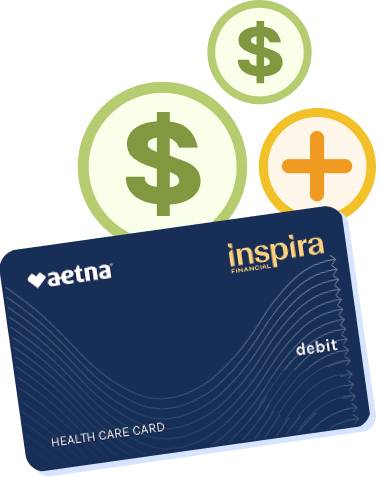
You’ll also receive a debit card you can use to pay for eligible expenses at these locations: Costco Pharmacy, Costco Online Pharmacy, Costco Optical, and Costco Hearing Aid Center. You can check your available account balance on your Aetna member website.
For the DCAP, you can submit a claim for reimbursement as soon as you have an eligible expense through the Inspira website or app. You’ll be reimbursed up to the current balance in your account.
Before you enroll, take a look at your health care and dependent care expenses for the previous year, and think about needs in the coming year to get a sense of how much you would like to contribute. Keep in mind that if you are currently enrolled in an HCRA, you’ll want to think about whether you’ll have funds left in your account at the end of this year that you can roll over into next year.
It is important to remember that funds in both accounts are use-it-or-lose-it, per IRS rules. Only a small portion of your HCRA balance can roll over into the next plan year. This amount is determined annually by the IRS.
Only participants who have an active HCRA as of December 31 are eligible for this rollover. Any funds beyond the rollover amount are forfeited after the claim filing deadline. This is why it’s so important to consider your anticipated expenses for the coming year before selecting a contribution amount for each account.
If you have a larger amount in your DCAP account than you expected as the end of the plan year approaches, you can take advantage of the grace period. The DCAP offers a grace period at the beginning of the following year where funds from the previous year can still be used.
Don’t forget to submit all your reimbursement claims by the filing deadline, as any funds left over after this period will be forfeited. Be sure to calculate your contributions carefully. And that’s the basics.
If you have any questions or need more information, just visit Costcobenefits.com. Thanks for watching, and remember: We’re in this together.
[♪ ♪ Upbeat Music]
Are FSAs (flexible spending accounts) the same as HSAs (health savings accounts)?
Not quite. Both help you save on taxes, but there are key differences.
- HSAs require a high-deductible health plan (HDHP). Your Costco medical plan has a low deductible, so it doesn’t qualify.
- FSAs are use-it-or-lose-it. HSAs let you keep leftover money from year to year, but there’s a trade-off. HDHPs require you to pay 100% of the cost for care until you meet your deductible. They don’t have copays. Because the Costco medical plan isn’t an HDHP, and instead includes copays for office visits and prescriptions, it doesn’t qualify for an HSA.
Costco offers 2 kinds of FSAs
|
Health Care Reimbursement Account (HCRA) |
Dependent Care Assistance Plan (DCAP) |
|
|---|---|---|
| What it’s for |
Health care expenses — Medical, dental, vision, and hearing aid costs for you, your spouse, and dependents |
Dependent care expenses — Dependent care for a child under age 13 or for an adult incapable of self-care so you and your spouse can work Note: DCAP can’t be used for dependent health costs — use your HCRA for those. |
| 2027 contribution limits | $120 up to $3,400 | Up to $7,500 (or $3,750 if married and filing separately) |
| When funds are available | Your full annual election amount is available January 1. | As deducted from your paycheck |
| How reimbursement works |
Autopay — Automatically reimburses you for eligible copays, deductibles, and coinsurance for medical, dental, and vision care. If using your funds for things like braces, be sure to turn off autopay at the start of the year on the Inspira website or app. Debit card — Use it at the Costco Pharmacy, Costco Online Pharmacy, Optical Department, or Hearing Aid Center. Note: Purchases made with the debit card can’t be returned for cash. Any cash refund must be repaid to your FSA. Call Inspira to learn more. Inspira website or app — Submit a claim for other eligible costs. |
Inspira website or app — Submit a claim when you have an eligible cost. You’ll get reimbursed up to the current balance in your account. |
| When to enroll | During Annual Enrollment | During Annual Enrollment or any time your childcare and elder care needs change |
| Election changes | You can’t change the amount after Annual Enrollment. | You can change the amount when your childcare and elder care needs change. |
| Rollover | Balance of up to $680* automatically rolls over from 2026 to 2027. | None |
| Grace period | None | Use leftover funds on new costs during the grace period (January 1 to March 15 of the following year). |
| Claim filing deadline | April 30 of the following year for both accounts. Any money still in your accounts after this date is forfeited. | |
Health Care
Reimbursement
Account (HCRA)
What it’s for
Health care expenses — Medical, dental, vision, and hearing aid costs for you, your spouse, and dependents
2027 contribution limits
$120 up to $3,400
When funds are available
Your full annual election amount is available January 1.
How reimbursement works
Autopay — Automatically reimburses you for eligible copays, deductibles, and coinsurance for medical, dental, and vision care. If using your funds for things like braces, be sure to turn off autopay at the start of the year on the Inspira website or app.
Debit card — Use it at the Costco Pharmacy, Costco Online Pharmacy, Optical Department, or Hearing Aid Center. Note: Purchases made with the debit card can’t be returned for cash. Any cash refund must be repaid to your FSA. Call Inspira to learn more.
Inspira website or app — Submit a claim for other eligible costs.
When to enroll
During Annual Enrollment
Election changes
You can’t change the amount after Annual Enrollment.
Rollover
Balance of up to $680* automatically rolls over from 2026 to 2027.
Grace period
None
Claim filing deadline
April 30 of the following year. Any money remaining after this date is forfeited, except eligible rollover funds.
Dependent Care
Assistance Plan
(DCAP)
What it’s for
Dependent care expenses — Dependent care for a child under age 13 or for an adult incapable of self-care so you and your spouse can work
Note: DCAP can’t be used for dependent health costs — use your HCRA for those.
2027 contribution limits
Up to $7,500 (or $3,750 if married and filing separately)
When funds are available
As deducted from your paycheck
How reimbursement works
Inspira website or app — Submit a claim when you have an eligible cost.
You’ll get reimbursed up to the current balance in your account.
When to enroll
During Annual Enrollment or any time your childcare and elder care needs change
Election changes
You can change the amount when your childcare and elder care needs change.
Rollover
None
Grace period
Use leftover funds on new costs during the grace period (January 1 to March 15 of the following year).
Claim filing deadline
April 30 of the following year. Any money remaining after this date is forfeited.
*2026 plan year, determined each year by the IRS
Not sure how much to contribute?
HCRA: Consider your typical annual health care costs. HCRA funds help pay for doctor visits, X-rays, lab work, and more.
DCAP: Estimate your yearly childcare or elder care costs. Unlike with an HCRA, you can change your DCAP contribution when your care needs change.
Resources for you
Inspira Financial — Pretax reimbursement accounts for health care and dependent care
inspirafinancial.com | App | 833-419-0579 (TTY: 711)
Inspira Financial — Pretax reimbursement accounts for health care and dependent care
inspirafinancial.com | App | 833-419-0579 (TTY: 711)