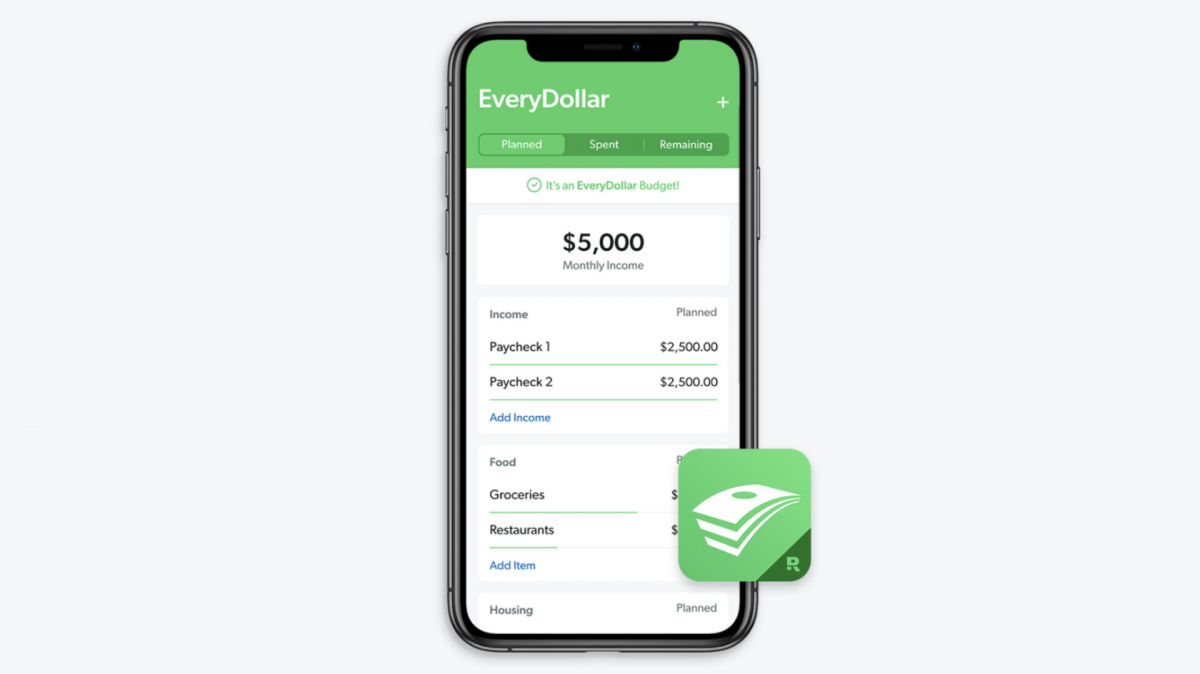
Do you want to create a budget, but think it’s just too complicated? How about if you could create one in just three steps? Simplify your monthly budgeting with the EveryDollar budget app from SmartDollar® — Costco employees can access the premium version for no cost.
With EveryDollar premium, you’ll get the help you need to:
Avoid overspending with Paycheck Planning
See a complete picture of your financial plan with the Financial Roadmap
Connect your bank and import transactions automatically
Learn from the pros with unlimited free group coaching
Watch the short video below and create an account at SmartDollar.com/enroll/Costco to download your free EveryDollar app.
Hey guys. Welcome to EveryDollar. My name is Rachel Cruze, and I am a Ramsey personality and I’ve been teaching people how to budget for years. To be honest, I used to hate it. Yes, seriously. But I knew it was important and now it’s like second nature. So, listen, no matter how you feel about budgeting right now, don’t worry. We’re going to walk through this together.
Before we start, open up your online bank account or grab your bank statements. This will help you figure out all the numbers you need to fill in as we go. And open up EveryDollar on your phone or computer (you can pause this video until you get all that ready). Okay, let’s dive in and set up your first budget in three steps.
Budget step one. “Enter your income.” Income is any money you plan to get during that month.
That means your normal paychecks and any extra money you have coming in through a side hustle, garage sales, freelance work or anything like that.
Here’s how to enter your income in EveryDollar. First, click “Add income.” Then second, label the income. So you can call this “Paycheck 1,” or use your employer’s name, whatever works for you. Third, click the planned amount and add how much that check will be if you’ve got an irregular income. Then, just put the lowest estimate of what you normally would make in the spots so you can adjust it later, if you need to. But for right now, just do that. Finally, repeat this process for any other money you have coming in and for your spouse, if you’re married. And that’s it. Nice work, you guys.
All right, let’s move on to the next step — budget step two, “List your expenses.” Now that you’ve planned for the money coming in, you can plan for the money going out.
So it’s time to list your expenses. The first budget category you’ll see is “Giving.” So we always recommend — no matter where you are financially — to give at least 10% of your income. Next, start covering your four walls. So, this is going to be food, utilities, shelter and transportation. When you look in EveryDollar, you’ll see these three budget categories. You’ll see “Housing,” “Transportation” and “Food.” Then under each of those, you can add budget line items by clicking “Add item” and naming the line. So, for example, under “Housing,” you can type “rent” or “mortgage” as a new budget line. Then type how much you’re going to pay each month for that planned amount. Then, you can look at your utility bills.
So, this is a great time to go back to your bank account or your statements and go down and you can add them one by one, things like electricity and water. Then under the food category, you’re going to see “Add item” so you can type “Groceries.” Now this category changes a lot, so just make a good estimate of what you think you’re going to need for the month ahead. And you keep going until you’ve covered your four walls.
Next, list other monthly expenses. So, we’re talking about clothing, insurance, debt, savings, entertainment, personal spending — all of that. So, in EveryDollar, you’re going to see these categories again. Under each of those, you can make budget line items for what you need.
Okay, it’s time for the last step.
Budget step three is “Subtract expenses from income.”
And guess what, you guys — EveryDollar does this step for you as you go. Oh yeah, it’s amazing. If you’ve got money left, [after] you’ve subtracted all your expenses, don’t just leave it there. You’ll end up just spending that amount of money on coffees or those one-click deals that you see. So, trust me, anything extra you have, let it go towards your money goals, like saving or paying off debts.
But what if you end up with a negative number? Yeah, not good, but that’s okay. So, what you have to do is cut your expenses until your income minus your expenses equals zero. I’ll give you a little hint. I would start with the restaurant or entertainment categories. Yeah, I know it kind of hurts. Pizza is my love language, but listen, you can cut some of that out to make sure that your budget equals zero. So, once you hit zero, then these words will pop up at the top of your screen, “It’s an EveryDollar budget.”
Oh, and when you see this, just celebrate. If I was with you, I’d give you a high five. But I’m not. That’s okay because honestly, this is a huge deal. You just set up your first budget. Now, it is important to track all of your expenses all month long and to make a new budget every single month. But we can talk about that later. Right now, I just want to congratulate you for setting up your first EveryDollar budget. This is the foundation of personal finance and such an important habit to get you big results with your money.
Once again, it’s you — our employees — that have fueled Costco’s success this year. We’re grateful for the hard work, creativity and dedication each one of you brings to your work on a daily basis.
And you’ve been working on yourselves, too. Over 92,000 of you have taken this year’s We’re in This Together pledge to learn more about the benefit resources available to you and your family. Your spouses or domestic partners have increased their participation in the pledge, as well. Over 10,000 of you enrolled in our new digestive health program, Cylinder*, in its first month. And Supportiv, our peer-to-peer chat support resource, earned a user score of 4.7 stars (out of 5).
Every year brings different challenges — and often new or enhanced benefits programs to meet them. So even if you pledged in the past, pledge again starting January 1, 2025, along with your spouse or domestic partner. Look for more information coming soon in the mail and on this website.
It’s a wonder-filled life
Research shows that experiencing wonder is good for you in many ways. It can lower stress, decrease inflammation and promote trust and bonding. So we’ve chosen “wonder” as our We’re in This Together theme for 2025. Take advantage of your Costco benefits, and you might just be in awe of what you can achieve.
Your stories are the best stories
This year, four Costco employees shared how they used their benefits to help themselves and their families get the care they needed right when they needed it. If you haven’t heard their inspiring stories, you can listen here. It’s a great way to see your benefits in action.
At Costco, it’s our responsibility and ongoing promise to provide our employees with exceptional health benefits that are reflective of how much we value their service to Costco. And it’s just as important for our employees to understand the great benefits they have available so they can use them wisely.
The best way to stay informed about the many benefit programs available to you and your family is by taking the annual We’re in This Together (WITT) pledge. By taking the pledge, you will have access to beneficial content that will result in you getting the most out of your benefits that Costco is proud to offer to you.
Thank you for your continued hard work and for your many contributions toward Costco’s great success. My best wishes to you and your family for a healthy 2025!
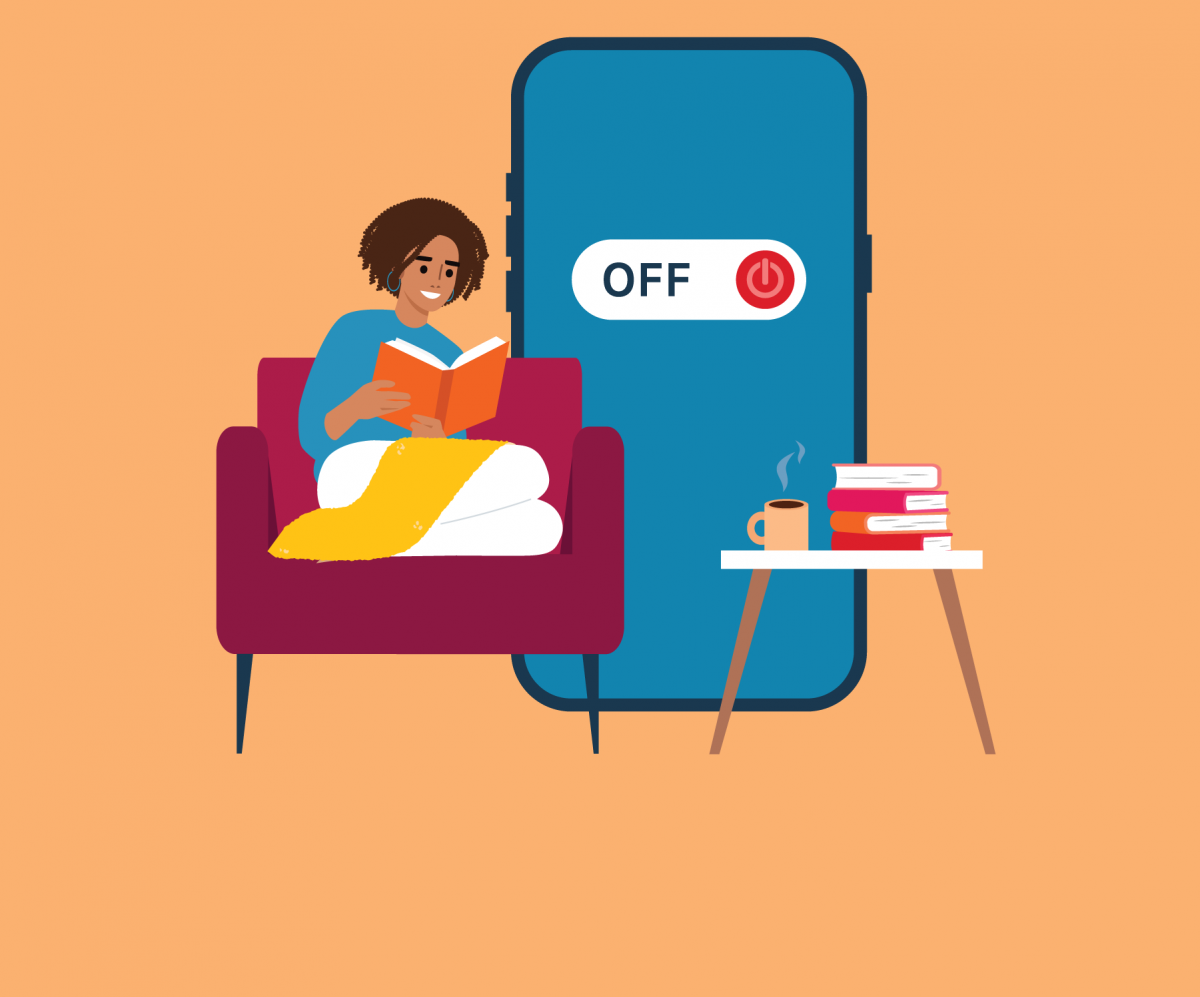
The average person spends 2 hours and 23 minutes per day on social media.1 What could you do if you got that time back?
While quitting social media for good may not be an option, taking a break can make a difference in your health and happiness. This is especially true for teens and tweens, whose social media habit can lead to things like sleep deprivation and a negative self-image.
Research suggests that although social media can be useful, it can also increase stress, anxiety, depression and even make you feel lonelier.2 By taking time off, you can gain:
More opportunities to connect with friends and family
Better mood
Higher self-esteem
A deeper sense of gratitude
More relaxation and contentment
Try grabbing a coffee with a friend, digging into a good book or taking a walk in nature. Then notice the difference it makes.
How to get started
There are no set rules on taking a social media break. You may simply limit your time to 15 minutes a day. Or opt to tune out completely for two weeks or more. Once you’ve figured out what you’re going to do, you may want to announce your plan online if you think people might worry about your absence or just to make it feel more real.
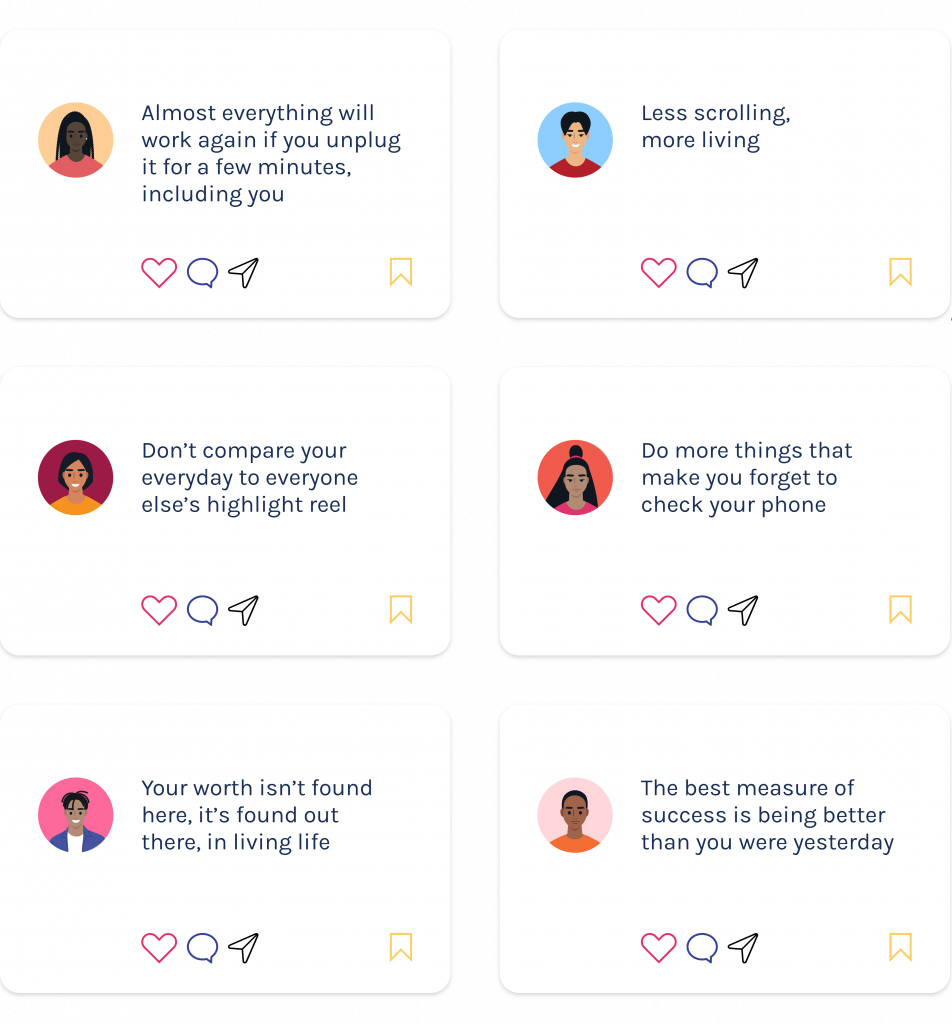
Here are a few quotes people have used with their social media break announcements that might inspire you.
If you find taking a break more difficult than you originally thought, reach out to Resources for Living for counseling and digital resources to help you manage your social media time. Be patient with yourself and allow some backsliding now and then. Your efforts will pay off in the long run.
1Soax. What is the average time spent on social media each day? 2Harvard Summer School. Need a break from social media? Here’s why you should — and how to do it.
Sources: The Tiny Life. How to take a 14-day social media break — A practical guide to reclaiming your time with social media detoxing. Cleveland Clinic. When (and how) to take a social media break
Gathering with friends and family is a big part of the holiday season. But so are colds, the flu and other respiratory viruses, which spread more commonly over the fall and winter.
Luckily, there are actions you can take to help you and your family stay healthy. And if you or a family member does get sick, turn to your Costco benefits right away to get the care you need.
From sneezing to aches and fever, cold weather sniffles can be hard to diagnose yourself. But the earlier you determine if you have a common cold, the flu or COVID-19, the faster you can treat it and start feeling better. Use the 98point6® app (or log in to TeleconsultaMD in Puerto Rico) to talk to a provider in minutes. The doctor can assess your situation, write prescriptions, order lab work and more, with no appointment — or leaving home — necessary. And with 98point6, there is no copay.
If follow up is required, be sure to make an appointment with your primary care physician (PCP). If you don’t have one, go to Costcobenefits.com and click “Find a Doctor” under Health & Wellness to start your care.
98point6 made everything easy — from downloading the app to texting the doctor and getting my prescription called in.
A Costco employee
In the meantime, follow this action plan from the Centers for Disease Control and Prevention (CDC) to stay healthy.
7 ways to fight off winter illnesses
Get your flu shot.
It’s your best protection against getting the flu virus and can limit the severity of your symptoms if you do get sick.
Stay home.
Keeping away from others when sick limits the spread and avoids exposing you to more germs.
Cover coughs and sneezes.
Use a tissue or sneeze and cough into your elbow to help stop the spread of germs. Teach your kids to do this, too.
Stay away from others who are sick.
The closer you are to a sick person, the more likely the droplets and particles that can make you sick will affect you.
Avoid touching your eyes, nose and mouth.
80% of germs are transfered by touch. Germs can spread to the hands by sneezing, coughing and rubbing the eyes.
Wash your hands.
Soap removes most germs. If not available, hand sanitizer with at least 60% alcohol can work.
Open a window.
Viral particles in the air spread more easily indoors than outdoors. An open window or air purifier can reduce the amount of virus you’re exposed to.
Source: CDC.Take steps to help you stay healthy during the holidays.
Gratitude may be the best-kept secret to reduce stress and help you feel better. Its benefits include improved physical health, higher self-esteem, better sleep and stronger social connections. And it doesn’t take a lot of work. Here are a few ways you can get started on a gratitude practice today.
Write down one thing you’re thankful for each day
Say thank you or write a thank you note
Visualize people, pets and things you’re grateful for
Take a “gratitude walk” and appreciate the space around you
Check out this 2-minute video to learn more about the science behind gratitude and how you can get more into your life. You can also check out the digital resources available from Resources for Living to improve your emotional health.
♪ ♪ Research shows that adopting an attitude of gratitude — simply expressing appreciation and being more thankful — can measurably improve your overall well-being.
For example, studies prove that gratitude can increase happiness, reduce depression and strengthen resiliency.
Grateful people often experience reduced blood pressure, less chronic pain, increase energy, even longer lives.
People who purposefully express more gratitude report higher self-esteem than those who don’t and they’re more likely to help others — a pro-social behavior also linked to greater happiness.
People who capture grateful thoughts before bed sleep better than those who don’t. Why so many positive changes?
Because gratitude actually rewires our brains; kickstarting the production of dopamine and serotonin.
Like antidepressants, these feel-good neurotransmitters activate the bliss center of the brain, creating feelings of happiness and contentment. This appears to be self-perpetuating.
Research suggests that with regular practice you’ll train your prefrontal cortex to better appreciate and retain positive experiences and thoughts and to deflect the negative ones.
Here are a few simple ways to deliberately cultivate that attitude of gratitude.
Celebrate minor accomplishments.
Think about what you have rather than dwelling on what you don’t.
Tell the people in your life something you appreciate about them. Tell yourself too.
Volunteer.
Hold a door for a stranger or simply smile more and you’ll probably feel better as kindness and giving are connected to gratitude.
Similar positive brain changes can occur from regular meditation and mindfulness.
Keep a daily gratitude journal using an old-fashioned notebook or a high-tech app.
The science is clear.
Give gratitude a go, you’ll be thankful you did! ♪ ♪
The Annual Enrollment process has changed November 1–26, 2024
This video provides a quick tutorial on how to complete your 2025 Annual Enrollment. We’ve changed the Dependent Verification requirement, so watch this 4-minute video to learn the new process.
You must verify your spouse or domestic partner to continue their coverage. Coverage will automatically continue for your eligible children.
Your health and the health of your family is a top priority at Costco. That’s why we are committed to providing you and your family with affordable benefits that help you receive quality care whenever needed. Now that Annual Enrollment is here, we want to make sure you understand the benefits available to you and your family and why this time is so important. Here’s everything you need to know about Annual Enrollment.
Annual Enrollment is the time of year that benefit-eligible employees have the opportunity to make changes to their benefit elections for the upcoming calendar year. You can add or drop coverage for yourself or family members, change your existing plans, and explore the benefits available to you and your family in the coming year.
By now, you should have received a kit in the mail that includes everything you need to enroll in Costco Benefits. This includes things like the benefit plan changes booklet and information about how to log on to Costcobenefits.com and start the Annual Enrollment process. If you have not received a kit yet, that’s totally fine. All of the information in the kit can be found on Costcobenefits.com, where you can also sign up for text reminders about Annual Enrollment so you don’t miss a step of the process.
We’ve done our best to make the Annual Enrollment process easy. Beginning in November, you can click on the Annual Enrollment banner or the enrollment website tile on Costcobenefits.com to start the process. Once you’ve selected your benefits and your submitted documentation has been approved for any new dependents, your benefits will go into effect on January 1st.
If your spouse or domestic partner is enrolled in your benefits, you will need to complete the dependent verification process each year to continue their coverage, even if you don’t make any changes. If you don’t, their coverage will end on December 31st of this year. If you have dependent children enrolled in your benefits, you’ll need to review and remove any dependent children who are no longer eligible. Coverage will continue automatically for eligible enrolled children. If you add any family members to your plan, you must submit required documentation by November 30th. When you begin the Annual Enrollment process, the platform will automatically remind you to verify your spouse or domestic partner.
Annual Enrollment is also a great time to ensure that your beneficiaries are up-to-date for your life and AD&D insurance and retirement plans. Designating your beneficiaries for these plans is critical, so you can ensure that the right people receive this benefit when the time comes. You can update your beneficiaries for life and AD&D insurance online while you go through the Annual Enrollment process. To update beneficiaries for your retirement plans, just visit RPS.TRowePrice.com.
As a reminder, if you want to participate in the HCRA or DCAP, you must enroll during Annual Enrollment. Even if you are already enrolled for the current plan year. All your other benefits elections will continue into the following year if you don’t make any changes.
And that’s the basics. Annual Enrollment begins and ends in November, so be sure to enroll early. If you have any questions or need more information, just visit Costcobenefits.com or call the Enrollment Center at 800-541-6205. Thanks for watching, and remember, we’re in this together.
Use this Annual Enrollment checklist to stay on track
Take action by November 26, 2024, to confirm elections or make any changes. You can sign up for text reminders on the Enrollment Website located on Costcobenefits.com.
Readthe enrollment instructions and the 2025 Benefits Plan Changes booklet that came in your 2025 Annual Enrollment kit. The kit should have arrived by mail in late October. You can also review this information online at Costcobenefits.com.
Completethe Dependent Verification process to continue coverage for your spouse or domestic partner. If you don’t complete this step, coverage for your spouse or domestic partner will end on December 31, 2024.
Reviewyour enrolled children and remove any children that are no longer eligible. Coverage will automatically continue for children still eligible. Find eligibility details on Costcobenefits.com. If you add any family members to the plan, you must submit required documentation by November 30, 2024.
Enroll or re-enrollin one or bothreimbursement accounts*, the Health Care Reimbursement Account (HCRA) or Dependent Care Assistance Plan (DCAP), if you want to participate in 2025.
Designate a beneficiary for both life and AD&D insurance on the Enrollment Website and for your retirement plan at RPS.TRowePrice.com.
Your health and the health of your family is a top priority at Costco. That’s why we are committed to providing you and your family with affordable benefits that help you receive quality care whenever needed. In 2025, you will see enhancements to your Costco benefits. Here’s everything you need to know.
Let’s start with the update to your Aetna ID card. Starting in 2025, you and your family members enrolled in an Aetna medical plan will have a primary care physician, or PCP, listed on your Aetna ID card. Access to a PCP is important for your health. If you don’t already have a PCP, one will be assigned to you to help make it easier for you and your family members to access care. You can change the PCP listed on your ID card at any time.
This is not a change to your medical plan. It’s not an HMO, so you are not required to see this PCP for care. You don’t need a referral to see a specialist either. If you have seen a PCP in the last two years, that provider will be listed on your card. If you see a nurse practitioner or physician’s assistant as your PCP, their supervising physician or the practice will be listed on your card. If you have any questions or would like to change the PCP on your card at any time, call your Aetna health concierge.
Now, let’s talk about some new incentive programs. In 2025, if you’re enrolled in an Aetna medical and dental plan, you and your enrolled family members can receive a $50 credit towards your annual medical deductible or co-insurance when you get at least one annual dental cleaning. Employees and their spouses or domestic partners can earn up to a $400 credit towards their annual medical deductible or co-insurance when you enroll in the Aetna program and engage during and after your pregnancy. To learn more and sign up for the Aetna maternity program, call the maternity team or visit Aetna.com/Maternity.
Let’s move on to chiropractic care. In 2025, the Aetna medical plan will cover up to 30 visits per year for chiropractic care. You’ll no longer need to meet your plans deductible and co-insurance, only your plan’s PCP copay will apply.
Now, here’s an update on virtual medical care from 98point6. 98point6 is an app that offers on-demand text-based access to virtual medical care for employees and their dependents age one and older enrolled in the medical plan. In 2025, the cost per visit is $0.
If you suffer from foot, knee or back pain, custom foot insoles may help. Beginning in 2025, all employees and their family members will have access to custom foot insoles at $80 per pair from Fit My Foot. No prescription is needed. To place an order, first download the Fit My Foot App and use it to scan your feet. Then visit FitMyFoot.com/CostcoEmployee to place your order. Your custom foot insoles will be shipped to your home address. For employees and dependents enrolled in an Aetna medical plan, up to three pairs of insoles per year are covered. Deductible and co-insurance apply.
Now, let’s talk about new services available through Resources for Living. Finding the right therapist can be a journey. Resources for Living can help. With RFL, you have access to six free therapy sessions per issue, per year with a few different ways to find a therapist. You can call RFL to connect with a care partner who can help you find a therapist, chat with a care partner online at the RFL website, access chat therapy with Talkspace, or search the RFL provider network on the RFL website.
In 2025, RFL will offer expanded access to mental health providers and new search options through the Alma Virtual Care Network. Log in to the RFL website and search the virtual therapy network by provider type, specialty, availability, language, religion, and more. Select your provider and schedule a free fifteen-minute consultation. Not the right fit? You can schedule as many free consultations as you need to find the therapist who’s right for you. Once you’ve selected your therapist, you still have access to all six of your free therapy sessions.
In 2025, you can also connect one-on-one with a well-being coach for free and confidential coaching sessions to work toward your personal goals. Your coach can help you with almost any goal. For example, they can help you develop better eating habits, learn time management skills, be mindful of your finances, step outside of your comfort zone, manage a relationship transition and more. Connect with Resources for Living in 2025 to get started.
You also have access to discounted services with Weight Watchers and LifeMart. Weight Watchers has new lower monthly rates. To learn more or register now, visit WW.com/Costco. Also, be sure to check out LifeMart, your employee discount center for discounts on gym memberships, virtual fitness and child care programs.
Now, let’s talk about some new benefits programs available to Costco employees. In 2025, employees and their family members age 18 or older who are enrolled in a Costco medical plan can access Sleepio, an online sleep improvement program at no cost. Sleepio is clinically proven to help you clear your mind, get better sleep, and have better days in just six weeks. You can get started by completing a coverage check on the Sleepio website. Then download the Sleepio app, create your account, complete the baseline sleep quiz and start seeing the benefits of Sleepio.
Your new digestive health program, Cylinder, is available now. Cylinder is available at no cost for employees and dependents age 18 or older enrolled in a Costco medical plan. Download the Cylinder app or visit the Cylinder website and use company code Costco to get started. Order your free microbiome test kit and connect with your care team to identify triggers and help relieve symptoms.
Finally, let’s talk about life insurance. If you have family members enrolled in a Costco Medical Plan, they automatically receive basic life insurance through Unum at no cost to you. In 2025, this coverage is increasing from $1,500 to $3,000 for each enrolled dependent.
Your new benefits are available January 1st. If you have any questions or need more information, just visit Costcobenefits.com. Thanks for watching and remember, we’re in this together.
Discover new and updated benefits available January 1, 2025
Aetna ID card update*
To ensure that you and your family members enrolled in the Aetna medical plan have access to a primary care physician (PCP), a PCP will be assigned to you and your enrolled family members on your Aetna® ID card. Their phone number will be provided so you can call to schedule your preventive care or a new patient appointment. If you already have a PCP you’ve seen in the last two years, that provider will be the name on your card
If you see a nurse practitioner or physician’s assistant, their supervising physician will be the name on your card
You are not required to see the assigned PCP and can change the PCP on your card at any time
There are no changes to your medical plan — this is not an HMO, so you don’t need to get a referral from a PCP to see a specialist
Contact your Aetna Health Concierge at 800-814-3543 (TTY: 711) if you have questions or you’d like to change the PCP on your card
Dental incentive*
Earn a $50 credit toward your annual medical deductible or coinsurance when you get at least one annual dental cleaning
Earn up to a $400 credit toward your annual medical deductible or coinsurance for you or your spouse or domestic partner when you enroll and engage in the Aetna MaternityProgram during and after your pregnancy
The earlier in your pregnancy you enroll, the more you can earn
Visit Aetna.com/Maternity or call 855-282-6344 (TTY: 711) to learn more and enroll
Chiropractic visits*
You’ll have coverage for up to 30 chiropractic visits per year
You no longer need to meet your deductible or coinsurance for visits
Your plan’s PCP copay applies
Available for you and your dependents enrolled in an Aetna Medical plan
Custom foot insoles are shipped to your home address
For employees and dependents enrolled in an Aetna medical plan, up to three pairs of insoles per year are covered. Deductible and coinsurance apply.
Alma
Effective January 1, 2025, you’ll have expanded access to mental health providers and a new way to search for a therapist online through Resources for Living (RFL). Alma, available through the RFL website, allows you to search for providers who are in the network and accepting new patients. Also, with Alma, you:
Can schedule a consultation with the provider of your choice
Receive automatic authorization for 6 free therapysessions per issue per year for you, all your household members and dependent children up to age 26
Filter your provider search based on personal preferences
Can view a provider’s profile before requesting a consultation
On average, have your first therapy session within 5 days
Have access to providers that offer both virtual and in-person support
Well-being coaching
You can also talk with an RFL Well-being coach for free and confidential coaching sessions to help with your personal goals, such as:
Developing better eating habits
Learning better time management
Stepping out of your comfort zone
Visit RFL.com/Costco or call 833-721-2320 (TTY:711) to learn more
Wouldn’t it be nice to save money on your annual taxes while paying for things you need, such as medications and childcare? That’s the benefit of reimbursement accounts.
When you enroll in Costco reimbursement accounts during Annual Enrollment, you can put aside pretax dollars to reimburse yourself for eligible expenses throughout the year.
Health Care Reimbursement Account (HCRA) – For eligible health care expenses.
Dependent Care Assistance Plan (DCAP) – For eligible dependent care expenses.
Watch the video below for a quick overview of your reimbursement account options, administered by Inspira Financial™.
Your health and the health of your family is a top priority at Costco. That’s why we are committed to providing you and your family with affordable benefits that help you receive quality care whenever needed. One of those benefits are the reimbursement accounts available through Inspira Financial. Here’s everything you need to know about reimbursement accounts.
There are two types of reimbursement accounts available to you as a Costco employee: the HCRA and the DCAP. The HCRA or Health Care Reimbursement Account allows you to set aside pre-tax dollars to reimburse yourself for eligible medical expenses such as copays, deductibles and coinsurance, dental and vision expenses, prescriptions, and over-the-counter items. Annual enrollment is the only time you can enroll in an HCRA account and the HCRA must be re-elected every year if you want to continue your account.
The DCAP or Dependent Care Assistance Plan allows you to set aside pre-tax dollars to reimburse yourself for qualified child and elder care expenses necessary for you and your spouse to work. Funds can be used to pay for child care for your dependents, age 12 and younger, or for a spouse, parent, or dependent incapable of self-care. Examples of DCAP expenses are things like daycare, before and after school care, nursery and preschool, and in-home aids. Please note that the DCAP cannot be used for dependent healthcare expenses. You need to enroll in the DCAP every year to continue your account. However, you can enroll, change, or stop your enrollment whenever there is a qualifying change to your dependent care needs throughout the year.
Both types of accounts are funded by automatic pre-tax payroll deductions from every paycheck. If you choose to enroll in one or both of the reimbursement accounts during annual enrollment, you’ll be prompted to choose how much money you would like to contribute for the plan year up to the annual limit. Each account has an annual funding limit set by the IRS. Funds will then be deducted pre-tax from your paychecks and deposited into these reimbursement accounts. While you can access the full amount of your annual HCRA election beginning January 1st, with the DCAP, you can only access the amount currently in your account at the time of your reimbursement request.
If you enroll in the HCRA, you’ll have a few different ways to access your account. The default reimbursement method is autopay. The HCRA autopay feature will automatically pay your portion of medical and dental claims, including copays, deductibles, and coinsurance. If you have specific plans for your HCRA funds like paying for braces, be sure to turn off autopay at the start of each year on the Inspira website or app. You’ll also receive a debit card you can use to pay for eligible expenses at these locations: Costco Pharmacy, Costco Online Pharmacy, Costco Optical, and the Costco Hearing Aid Center. You can check your available account balance on your Aetna member website under Flexible Spending Account or FSA.
For the DCAP, you can submit a claim for reimbursement as soon as you have an eligible expense through the Inspira website or app. You’ll be reimbursed up to the current balance in your account.
Before you enroll, take a look at your healthcare and dependent care expenses for the previous year and think about needs in the coming year to get a sense of how much you would like to contribute. Keep in mind that if you are currently enrolled in an HCRA, you’ll want to think about whether you’ll have funds left in your account at the end of this year that you can roll over into next year. It is important to remember that funds in both accounts are use it or lose it per IRS rules.
Only a small portion of your HCRA balance can roll over to the next plan year. This amount is determined annually by the IRS. Only participants who have an active HCRA as of December 31st are eligible for this rollover. Any funds beyond the rollover amount are forfeited after the claim filing deadline. This is why it’s so important to consider your anticipated expenses for the coming year before selecting a contribution amount for each account.
If you have a larger amount in your DCAP account than you expected as the end of the plan year approaches, you can take advantage of the grace period. The DCAP offers a grace period at the beginning of the following year where funds from the previous year can still be used. Don’t forget to submit all your reimbursement claims by the filing deadline as any funds left over after this period will be forfeited. Be sure to calculate your contributions carefully.
And that’s the basics. If you have any questions or need more information, just visit Costcobenefits.com. Thanks for watching, and remember, we’re in this together.
Frequently asked questions about reimbursement accounts
How does a reimbursement account work?
When you enroll in an HCRA or DCAP, you choose how much to contribute by thinking about how much you’ll need to cover your expenses. If you have a reimbursement account for 2024, you should also consider the amount you may roll over from 2024 to 2025.The money is automatically taken out of your paycheck and deposited into your reimbursement account before payroll taxes are calculated.You can fund these accounts up to the annual limit set by the IRS.
When do I enroll in an HCRA and DCAP?
HCRA
If you want toenrollor re-enroll in an HCRA for 2025, you must make your elections during Annual Enrollment, November 1 – 26. If you enrolled in a HCRA for 2024, youneed to re-enroll for 2025 to participate.You can only enroll in an HCRA during Annual Enrollment.
DCAP
Enroll or re-enroll in a DCAP for 2025 during Annual Enrollment, November 1 – 26. You can enroll, change or stop your DCAP election at any time during the year if there is a qualifying change in your dependent care needs. If you enrolled in a DCAP for 2024, you need to re-enroll for 2025 to participate.
What expenses do reimbursement accounts cover?
HCRA
You can use your HRCA for eligible health care expenses for you, your spouse and eligible dependents. These include items that are not covered by your medical plan, such as your copays, deductibles and coinsurance, as well as other health care items and services, such as prescriptions and dental and vision expenses.
Your DCAP can be used for eligible dependent care expenses necessary for you and your spouse to work. Funds can be used to pay for childcare for your dependents age 12 and under, or to care for another family member incapable of self-care such as a spouse, a child age 13+ or a parent. Expense examples include day care, after-school care and in-home care.
Note: The DCAP cannot be used for dependent care health care expenses.
How do I pay for items and services with my reimbursement accounts?
HCRA
You have a few different ways to access your HCRA. The default reimbursement method for the HCRA is autopay. This feature automatically pays your portion of medical and dental claims, such as copays, directly from your account. If you plan to use your funds for something specific, such as braces, you can turn off autopay at the start of the year on the Inspira website or app. You’ll also receive the Inspira Card® — the HCRA debit card — to use for eligible expenses at the Costco Optical Department, Costco Hearing Aid Center or anypharmacy.If needed, you can pay upfront for an eligible item or service and submit a claim for reimbursement.
DCAP
To use your DCAP, youneed to pay upfront for your eligible dependent care or service, then submita receipt and a claim form to get reimbursed from your account. You can submit claims on the website or app.
How much can I contribute to my reimbursement accounts?
HCRA
You can contribute $120-$3,300 per year to your HCRA account. This funding limit is set each year by the IRS. You can access the full amount of your annual HCRA election on January 1, 2025.
DCAP
You can contribute up to $5,000 per year to your DCAP account, or $2,500 if married and filing separately. Access is limited to the current money in your account. You can get reimbursed up to the amount of your year-to-date contributions, not the entire annual amount selected.
What happens if I havefunds left over at the end of the year?
HCRA
Only a small portion of your HCRA balance can roll over to the next plan year. If you are enrolled in an HCRA for 2024, your rollover amount to use in 2025 is $640. This amount is determined each year by the IRS.You forfeit any balance over the rollover limit that remains in your account after the claim filing deadline of April 30, 2025.
DCAP
The DCAP offers a grace period, where funds from the previous year can still be accessed. You can use the funds you contributed to the DCAP for 2024 for any eligible services through March 15, 2025.Claims can be submitted until April 30, 2025. Any funds remaining after the deadline will be forfeited.
Visit the Enrollment Website on Costcobenefits.com to make your reimbursement account elections during Annual Enrollment. For more information, see the resources below.
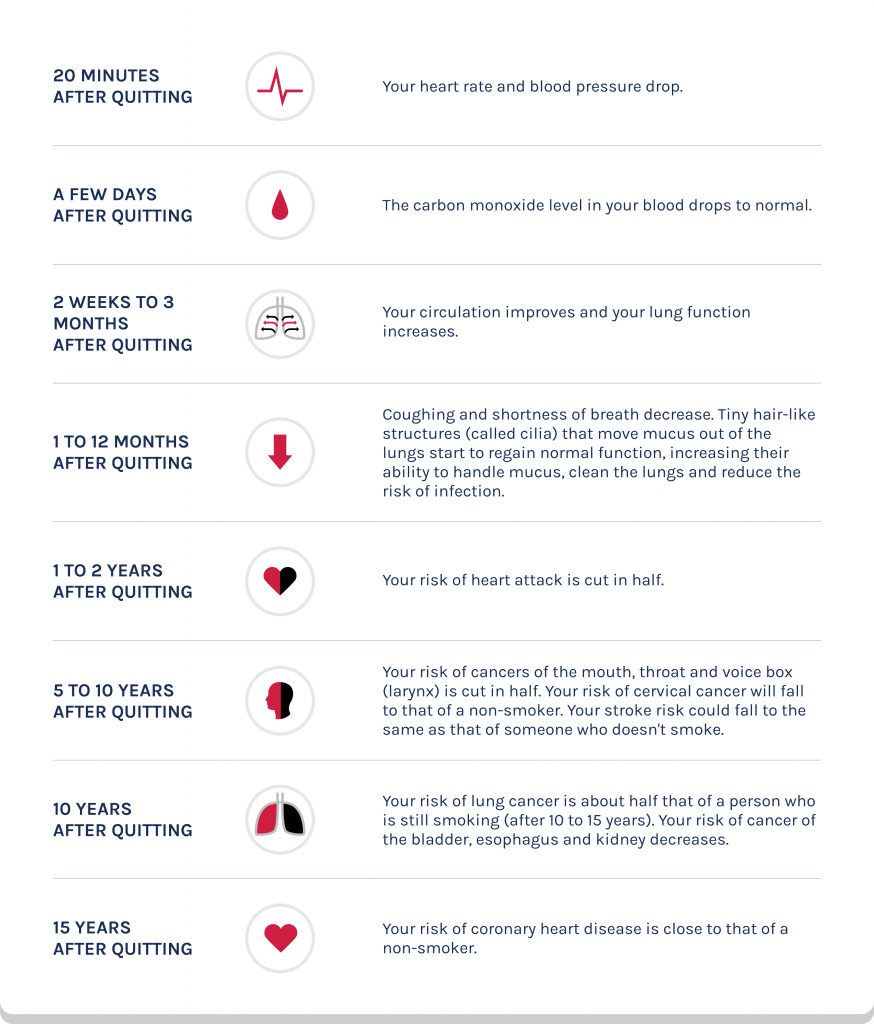
How your body reacts when you quit tobacco or nicotine
Kicking the habit isn’t easy. But if you’re able to quit smoking or vaping, you may notice some small improvements right away. Maybe you’re less out of breath during everyday activities or your sense of smell is better. There are also changes going on that you can’t see — from the moment you take your last puff.
If you’re a current user of tobacco or nicotine, maybe now is the time to decide if you’re ready to start your smoke-free life. You can join thousands of smokers across the country in taking the first step during the Great American Smokeout® on November 21. You can also enroll in the Costco Tobacco & Nicotine Cessation Program to get coaching and support to help you on your journey.
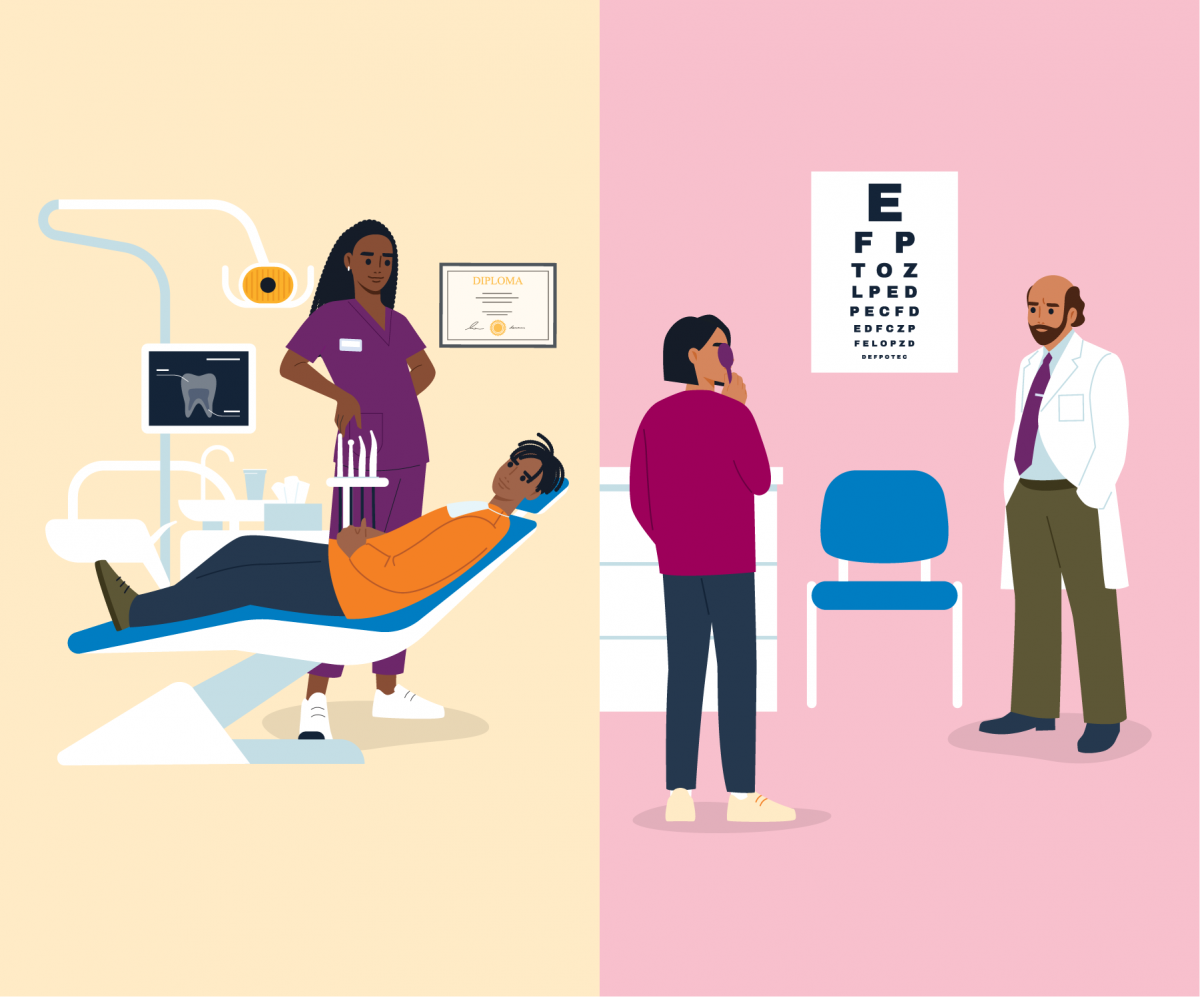
The top 10 reasons to get regular dental and vision exams
Did you know that getting regular dental cleanings can reduce your chances of ending up in the hospital by up to 28%?
That’s a great reason to schedule your annual dental appointment (and eye exam) before the year is over. If you need more motivation, check out the “top ten” list below. While some of the reasons may be familiar to you, others may be surprising — and may motivate you to get these exams on your calendar every year.
If you haven’t gotten your two yearly dental cleanings or haven’t had your eyes checked this year, there’s still time to schedule your annual visits. Dental exams and cleanings are covered at 100% when you’re enrolled in a Costco dental plan and see an in-network dental provider. Your Costco benefits also offer an allowance toward your annual eye exam and $175 per year toward the cost of prescribed eyewear (this amount can be spread out over the whole calendar year and doesn’t need to be used all at once).
At your teeth cleaning, your dental hygienist removes the plaque and tartar deposits that are too hard to get to during regular brushing. Left unchecked, these can cause cavities, tooth loss, gum disease and other issues.
Catches dental concerns early
Annual visits allow your dentist to catch cavities and other concerns early, when they’re easier and less costly to treat. For example, a simple filling today could require a surgical extraction and expensive implant if left untreated.
Improves cancer outcomes
Recent research shows that people diagnosed with throat, nasal cavity, and other head and neck cancers have a 30% higher survival rate 10 years after their diagnosis if they visited their dentist regularly.1
Lowers risk of early delivery during pregnancy
Pregnant women who have good oral hygiene and routinely visit their dentist are less likely to experience premature delivery, a baby with low birth weight and preeclampsia.2
Impacts heart health
Poor oral health can increase the risk of heart disease, such as heart attack or stroke. Research suggests that bacteria present in gum disease can travel through the bloodstream to trigger inflammation and infection in the heart.
Vision
Improves eyesight
A comprehensive eye exam with an optometrist is the best way to determine if you need corrective lenses and check whether your current prescription has changed. These exams can also identify common conditions such as myopia (nearsightedness).
Detects eye diseases
Many diseases of the eyes don’t have symptoms but can lead to vision loss if untreated. Your eye doctor can identify early warning signs and help treat conditions such as glaucoma and diabetic retinopathy.
Identifies other health concerns
Issues spotted in the eye are often the first signs of medical conditions throughout the body. Some of these conditions include high blood pressure, high cholesterol and diabetes.
Makes learning easier for kids
Good vision is helpful to the learning process. An eye exam can detect any concern that may be getting in the way of your child’s school performance.
Keeps you safer
Whether you’re driving a car, operating a forklift or using other machinery, you need to see what you’re doing. Being able to see clearly helps keep you and others out of harm’s way.
Feeling more motivated? Schedule your exams today. And if you use tobacco or nicotine, read on.
Quitting nicotine is good for your teeth and eyes, too
If you smoke or vape, you are at a higher risk for gum disease and tooth loss. The risk of developing dry eye syndrome and cataracts also goes up. Try the Costco Tobacco & Nicotine Cessation Program for support to help you quit nicotine products for good. To get started, log in to Costcobenefits.com then click this link.
Check out the resources below to keep your teeth and eyes healthy.
1Health. Regular dental visits linked to increased survival rates for head, neck cancer patients. 2NIH National Library of Medicine. Oral care in pregnancy.